Table of Contents
Access Your Files Seamlessly Across All Devices
Rabata turns your files into loyal travel companions, always ready to tag along wherever you go. Whether you’re glued to your office chair, sprinting through a busy airport, or curled up on your couch, your data moves with you effortlessly.
With Rabata, your documents aren’t stuck on a single device. They’re synced and updated instantly, no matter if you’re on Windows, Mac, iOS, Android, or just surfing the web. It’s like having your digital filing cabinet available 24/7, right at your fingertips.
Key Features of Rabata Secure Cloud Storage
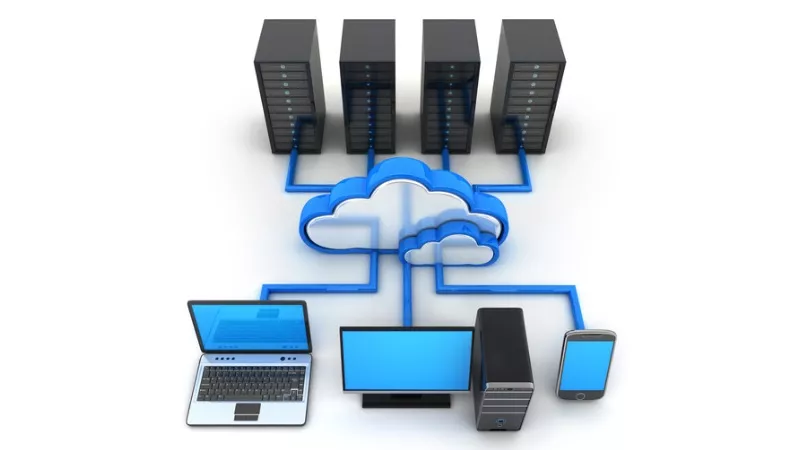
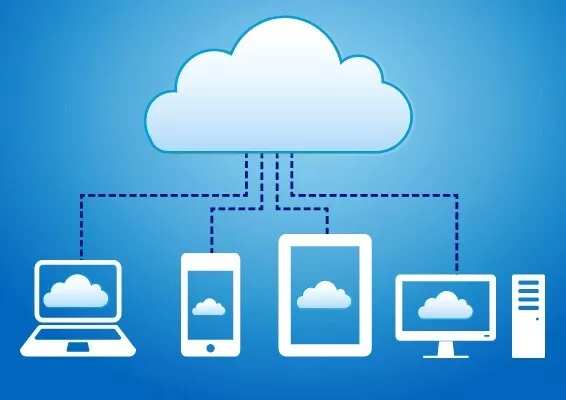
Rabata works seamlessly on desktop, mobile, and tablet, so you can access your files wherever you are. Whether you're at your desk, on the go, or relaxing with a tablet, your cloud storage experience stays smooth and reliable.
One standout feature is streaming your media files directly from the cloud. Forget about downloading hefty videos or audio files to your device. With Rabata, just hit play and enjoy instant streaming, saving time and device space.
For business pros who need constant access, Rabata offers automatic syncing and offline availability. Your files are always up-to-date across devices, and you can even work without internet-perfect for those moments when Wi-Fi decides to take a personal day.
And speaking of peace of mind, Rabata’s rock-solid security has earned top marks. Strong encryption and privacy measures keep your data locked up tighter than your secret snack stash.
Managing files is a breeze with smooth integration into Windows Explorer and Mac Finder. Uploading is as simple as drag and drop, without juggling complicated menus. Syncing keeps everything current no matter which device you switch to, and sharing files is hassle-free using customizable links that you control.

Customer support you can count on
At Rabata, we believe that cloud storage should come with cloud-level support. That’s why every paying user gets direct access to our premium customer support team. Whether you prefer the immediacy of live chat or the convenience of email, we've got you covered.
Need answers fast? The Rabata Help Center is packed with detailed articles that tackle common questions and tricky situations alike. It’s like having a personal guide through the maze of cloud storage, ready whenever you need it.
Benefits of Using Rabata Secure Cloud Storage
With Rabata, you only pay for the storage you actually use. No need to guess how much space you'll need months in advance. Whether you’re tracking usage by the month, quarter, or year, your bill adapts to your real consumption. Just a heads up - this doesn’t mean cloud storage is automatically cheaper, but it does shift your expenses from big upfront investments to manageable operating costs.
Want to run a greener business? Rabata helps cut your energy consumption by up to 70%. That’s a serious drop in your carbon footprint, making your IT eco-friendly without you needing to install solar panels or hug trees during meetings.
Choosing your storage setup with Rabata is like picking your superhero sidekick - off-premises, on-premises, or a hybrid mix. Depending on your priorities like disaster recovery, security compliance (think PII, HIPAA, SARBOX), or legal record-keeping, you get a tailored solution without the pain of one-size-fits-all compromises.
Rabata’s object storage architecture comes with built-in data protection and high availability. That means you don’t have to invest extra time, effort, or money to add these must-have features. They’re already baked in, saving you headaches and spare coffee.
Forget the chore of constantly buying more storage or upgrading hardware. Rabata hands off those maintenance tasks to your service provider, freeing up your team to do more interesting things than wrestling with storage expansions.
Immediate access to a wide range of resources and applications is at your fingertips with Rabata’s cloud infrastructure. You get seamless web service interfaces that make working across platforms and devices smooth and straightforward - no complicated setups required.
Rabata supports handy operations like copying virtual machine images between the cloud and your on-premises setups, or moving them between different accounts and data centers. This flexibility means your virtual environments can travel effortlessly wherever business takes you.
Mother Nature is unpredictable, but losing data doesn’t have to be. Rabata’s multiple backup servers spread out across the globe ensure your information is safe even if disaster strikes one location.
Need your cloud storage to behave like a local drive? Rabata can be mapped via the WebDAV protocol, turning into a centralized file server for organizations with offices scattered across cities or countries. Access and collaboration are brought into close reach, no matter where your team operates.
Cloud Storage Simplified for Google Workspace Users and Small Businesses
Google Drive: Seamless Storage Across Devices
Google Drive is the go-to cloud storage for many, blending convenience and functionality across Windows, Mac, iOS, Android, and web platforms. One of its standout perks is freeing up precious device space by letting you keep specific files in the cloud only. That means no more juggling storage - access your files online anytime without them crowding your device.
Backing up your memories is a breeze with Google Photos, which handles automatic photo backup so you never lose a snapshot of that epic vacation or your pet’s funniest moment. It’s reliable, fast, and does the heavy lifting without you lifting a finger.
But, no system is perfect. Google Drive has a slight catch - if you want to work with Google Docs, Sheets, or Slides, you’re locked into using Drive for file storage. It’s not much of a choice if you’re deep into Google’s productivity suite since those files have to live there anyway.
If you’re invested in Google’s ecosystem, you’ll pick from two main plans: Google One, perfect for individuals juggling photos, files, and Gmail, or Google Workspace, designed for businesses with perks like custom emails, added security, and tools such as document signing. Both let you use Docs, Sheets, and Slides, but your files remain anchored in Google Drive.
Google Drive offers two smart ways to handle your files: streaming and mirroring. Streaming keeps files online only, so your device storage stays clean, but you need internet access. Mirroring stores files both locally and in the cloud, so you can work offline and sync changes later. Many users, including those at Rabata, strike a balance: stream the giant, rarely opened folders and mirror the essentials they need on hand 24/7.
For business owners like those behind Rabata’s secured cloud storage, Google Workspace isn’t just about storage; it’s the hassle-free email setup powered by Gmail, plus seamless integration with third-party apps. Unlike iCloud, Google Drive’s open ecosystem lets you effortlessly connect tools and automate backups, like syncing Synology NAS drives straight to the cloud. That’s peace of mind wrapped in automation.
Using Google Drive daily for work documents and NAS backups isn’t just easy, it’s practically essential if you live in Google’s step-by-step work world. Sure, it might not be the cheapest option, but the convenience and integration make it worth the price, especially when every minute counts.
Automation lovers rejoice: Google Drive and Zapier are a dream team. Imagine adding a new Drive folder and having a Todoist task pop up automatically. That’s exactly how some Rabata users keep projects on track without breaking a sweat. Creating custom workflows like this can save hours, and once you’re hooked, it’s hard to go back.
Turn Zoom Recordings Into Google Drive Files Instantly
Setting up your Zoom recordings to upload straight to Google Drive is a game changer. It keeps your meeting minutes safe, sound, and easy to share or revisit anytime you need. No more digging through folders or scrambling after forgetting to save important calls.
Here’s the pricing breakdown for Google Drive’s storage plans: everyone starts with 15GB free, which is great for light users. Need more? 100GB runs $1.99/month, 200GB costs $2.99/month, and 2TB is $9.99/month. If you want the full Workspace experience with business tools, prices start at $7/month for 30GB, then $14/month for 2TB, and $22/month for 5TB.
Why OneDrive is a Solid Choice for Windows and Microsoft 365 Fans
OneDrive: Features and Benefits Across Devices
OneDrive isn’t just another cloud storage app. It’s your digital briefcase, your go-to office space, and your personal vault all rolled into one. Whether you’re on Windows, Mac, iOS, Android, or even Xbox, OneDrive keeps your files synced and accessible anywhere you roam. It tightly integrates with Microsoft Office apps like Word, Excel, and PowerPoint, plus the nifty Copilot AI that helps you get more done in less time.
Microsoft didn’t stop at just storage. They threw in the Personal Vault-a private, highly secure folder designed to protect your most sensitive documents. Think passport scans, insurance info, or any files you’d rather keep under lock and key, accessible through your face, fingerprint, or PIN. It’s like having a safe deposit box in the cloud.
OneDrive’s Limits and Comparisons
Of course, no cloud service is perfect. OneDrive caps out at 2TB for individual plans, which might leave heavy users hunting for space. Apple’s iCloud swoops in with plans up to 12TB, but those tend to bundle entertainment goodies like Apple Music and Apple TV+. OneDrive sticks to its business roots, bundling the essential Office apps instead - a real win for professionals and students who live in spreadsheets and presentations.
Keep in mind the 6TB plan at OneDrive isn’t for a single user but shared among six people, giving each just 1TB. If you’re flying solo and need more space, a 1TB add-on is your friend, though 2TB max might still feel cozy for power users.
OneDrive’s Automation and Cross-platform Magic
OneDrive doesn’t stop at just storage and office access. It plugs into Zapier, which means you can automate your workflows and synchronize files across different cloud services. For example, you can automatically copy new Google Drive files to your OneDrive, keeping your essentials backed up without lifting a finger. This kind of automation makes Rabata’s secure cloud storage even more streamlined for busy users who juggle multiple platforms.
Pricing at a Glance
Here’s a quick snapshot of OneDrive’s pricing tiers:
- 5GB for free - a nice little starter pack.
- $1.99/month for 100GB - enough for casual users.
- $9.99/month for 1TB - fitting for most individuals.
- $12.99/month for 6TB - shared between 6 users with 1TB each.